


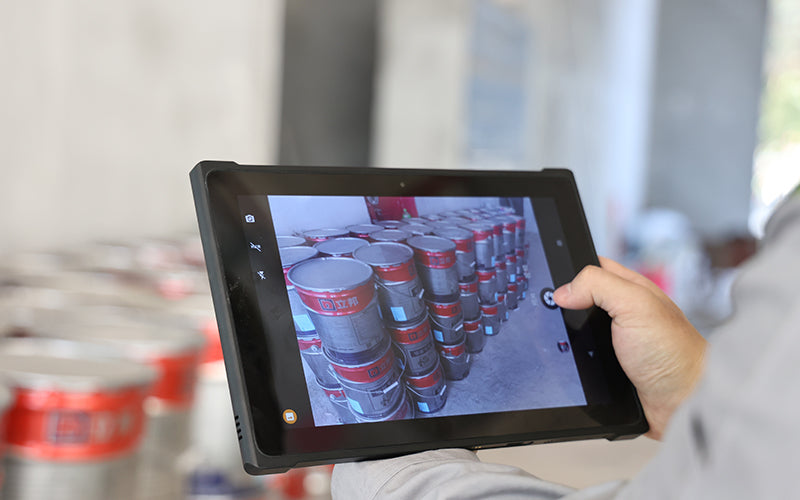
Best Tablets with Barcode Readers for Inventory Counting in 2026
In modern logistics centers and factory-side warehouses spanning tens of thousands of square meters, inventory counting is one of the most common—but also one of the most error-prone—warehouse operations.Many warehouses still rely on paper records, handheld scanners, or consumer tablets paired with external barcode readers. This setup may work for smaller operations, but once SKU volume increases, workflows slow down and inventory control becomes more difficult.In modern warehousing and inventory management environments, what you need is not simply a display paired with a scanning gun.You need a tablet with an integrated barcode reader that can run advanced WMS platforms, support high-performance scanning engines, and handle high-frequency warehouse operations.

Key features of tablet PCs for inventory counting and automated warehouses and high-frequency inventory counting
1. Long-Range (FlexRange) Integrated Scanning: No More Climbing for Inventory Counts
In high-bay warehouses, many pallet locations and storage labels are positioned on upper racks 5–6 meters (16–20 ft) above the ground.
Warehouse Standard: A warehouse tablet should not rely on entry-level barcode scanners.
It should integrate a long-range industrial scanning engine capable of extended-distance scanning.
Warehouse staff can stop the forklift beneath the rack, remain seated, raise the tablet, and instantly scan pallet locations several meters away—even when labels are covered with reflective protective film.
The scanner should reliably capture:
- 1D / 2D barcodes
- Damaged labels
- Dirty or partially obscured codes
- Reflective warehouse tags
All with a single scan.
2. Millisecond-Level Wi-Fi 6 Roaming: Keep Data Connected Across Warehouse Aisles
Steel racking systems and dense inventory naturally interfere with wireless coverage.
Consumer tablets often remain connected to a distant access point because of roaming delays, causing WMS sessions to freeze or display “Connection Timeout” errors during movement between aisles.
This creates the risk of losing inventory data after scanning hundreds of SKUs.
A true warehouse tablet should support industrial Wi-Fi 6 seamless roaming.
As operators move through large warehouses, production areas, and rack systems, the device automatically switches access points within milliseconds, keeping WMS workflows continuously connected.
The goal is simple: no lost data and no rescanning.

3. Hot-Swappable Battery: Built for Multi-Shift Warehousing
Large fulfillment centers often run 24/7 three-shift operations, especially during peak seasons.Warehouse tablets should support hot-swappable batteries, allowing workers to replace batteries without shutting down the device or exiting the WMS application.Within seconds, operators can install a fully charged battery and continue inventory work without interruption.This enables truly continuous warehouse operations.
4. Extreme Environment Readiness: Cold Chain Compatible, Warehouse Tough
For cold-chain logistics environments operating at temperatures down to –20°C (–4°F), consumer tablets often fail within minutes.Screens fog or freeze, while battery life drops dramatically.Hardware Requirements: Warehouse tablets should meet IP65 / IP67 dust and water resistance standards and comply with MIL-STD-810H impact testing.
Cold storage environments may require:
- Heated displays with anti-fog capability
- Low-temperature battery systems
- Specialized cold-chain configurations
For standard warehouse operations, accessories such as hand straps and shoulder straps can also reduce fatigue during long inventory shifts and repetitive scanning tasks.

Large-Screen Industrial Tablets vs. Handheld PDAs
In warehouse inventory and WMS workflows, hardware selection is rarely an either-or decision.
The most efficient operations usually rely on a combined deployment strategy.
8–10 Inch Rugged Tablets
Larger displays provide significantly more workspace and information visibility.
They are ideal for:
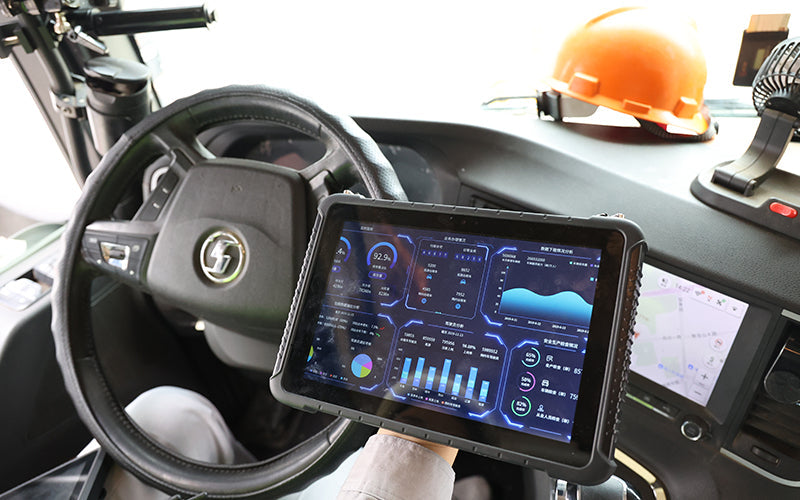
- Forklift-mounted operations with vehicle docks
- Receiving and inbound inspections
- Viewing large purchase orders and inbound lists
- WMS dashboards and warehouse analytics
- Line-side warehouse material allocation and complex workflows
For data-heavy tasks, larger industrial tablets provide a better operational experience.
5–6 Inch Handheld Rugged PDAs
Handheld PDAs prioritize mobility and one-handed operation.
They are best suited for:
- High-frequency picking operations
- Daily stock relocation workflows
- Cycle counting of small items
- Fast barcode scanning tasks
The goal is maximum mobility and scanning efficiency.
For warehouse teams focused on speed and repetitive inventory tasks, handheld industrial PDAs are often the preferred tool.
Conclusion
The core goal of warehouse digitalization is simple: reduce errors and improve operational efficiency.When selecting inventory counting devices and warehouse data collection tools, do not be distracted by consumer electronics specifications such as processor benchmarks or ultra-thin designs.
The real standards are different:
Can the device instantly scan barcodes deep inside warehouse racks?
Can it maintain seamless connectivity while moving through signal dead zones?
Can it withstand repeated drops, temperature changes, and intensive daily operation without failure?
These are the factors that truly determine whether a warehouse can achieve accurate inventory records and efficient operations.


Leave a comment
This site is protected by hCaptcha and the hCaptcha Privacy Policy and Terms of Service apply.