


Rugged Tablet Operating Systems: Android vs Windows Rugged Tablets
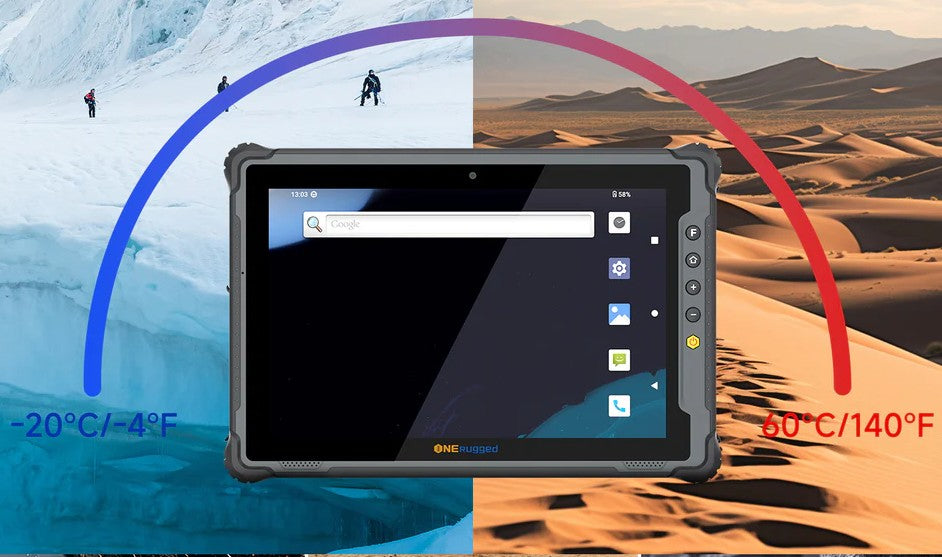
In industries ranging from construction and logistics to manufacturing and field services, rugged tablets have become indispensable tools. Designed to withstand extreme temperatures, drops, dust, and moisture, these devices rely heavily on their operating systems (OS) to deliver reliable performance in harsh environments. Among the mainstream options, Android and Windows stand out as the primary choices, each offering unique strengths and limitations that align with different business needs. This article compares Android and Windows rugged tablets, exploring their key characteristics, use cases, and factors to consider for optimal selection.
1. Rugged Android Tablets
Rugged Android tablets are widely adopted in logistics, warehousing, and field services due to their flexibility and ease of deployment.

Advantages:
① Large application ecosystem
② Faster development of custom business apps
③ Lower learning curve for frontline workers
④ Efficient battery consumption
Android rugged tablets are ideal for barcode scanning, inventory management, route tracking, and real-time reporting.
2. Rugged Windows Tablets
Rugged Windows tablets are often preferred by enterprises that rely on legacy software or full desktop applications.

Advantages:
① Compatibility with existing Windows-based systems
② Support for enterprise software (ERP, CAD, asset management)
③ Advanced device management and security features
Windows rugged tablets are commonly used in engineering, utilities, government, and industrial maintenance scenarios.
Android and Windows rugged tablets each offer distinct advantages that cater to different industrial and business needs. Android excels in flexibility, cost-effectiveness, and mobile usability, making it ideal for scalable deployments and customized workflows. Windows, meanwhile, delivers superior performance, enterprise integration, and security, positioning it as the top choice for legacy software reliance and high-performance tasks. There is no one-size-fits-all solution—rather, the optimal OS depends on a thorough assessment of workflow requirements, existing IT infrastructure, budget constraints, and security needs. By understanding the strengths and limitations of each platform, businesses can select rugged tablets that enhance productivity, durability, and efficiency in even the harshest operating environments.



Leave a comment
This site is protected by hCaptcha and the hCaptcha Privacy Policy and Terms of Service apply.