


2026 Rugged Tablet Buying Guide: Best Rugged Tablet for Construction, Warehouse & Industrial Work
By 2026, as more and more industries shift to mobile workflows, rugged tablets have become essential tools for field operations, industrial environments, logistics teams, and outdoor workers.

Before you buy, consider these potential issues you might overlook, only realizing their importance after experiencing them:
- Screen overheating
- Damaged charging port
- Poor outdoor visibility
- Battery depleted during shifts
- Cracked display
- Water or dust damage
This guide will explain how to choose the right rugged tablet based on your deployment environment, workflow, and industry requirements.
What Is a Rugged Tablet?
Compared with standard consumer tablets, rugged tablets are specifically designed for harsh industrial and outdoor environments.
| Feature | Rugged Tablet | Consumer Tablet |
|---|---|---|
| Waterproof Protection | IP65/IP67/IP68 | Limited |
| Drop Resistance | MIL-STD-810H | Minimal |
| Outdoor Visibility | 500+–1000+ nits | 300–500 nits |
| Battery Design | Hot-swappable | Built-in |
| Barcode Scanning | Integrated Optional | External Device |
| Operating Temperature | Industrial Grade | Indoor Use |
A rugged tablet is designed with industrial-grade protection to survive harsh working environments where standard consumer tablets would quickly fail. Regular tablets are suitable for offices and cafes. Ruggedized tablets, on the other hand, are designed for harsh environments and outdoor work, allowing you to leave them in the rain on construction sites, work reliably in dusty warehouses, operate inside vehicles under direct sunlight, or even fall into the mud on farms.
Key features of ruggedized tablets in 2026
| Feature | Rugged Tablets |
| Drop Resistance | 4 ft (MIL-STD-810H) |
| Water/Dust Rating | IP65 / IP67 / IP68 |
| Battery | Supports hot-swappable/removable batteries |
| Screen | >500nits |
| Charging port | Tightly wrapped and sealed by protective plugs or hatches |
| Shell material | TPU protective frame with reinforced corners |
| Temperature | Operating temperature -4°F to 140°F storage temperature -22°F to 158°F Humidity: 95% non-condensing |
| Wearing gloves and wet hands | Support |
| Industrial-grade I/O interfaces | USB-A,RJ45,RS232/RS485... |
These features can directly affect device reliability, operational uptime, and overall workflow efficiency.

How to Choose a Rugged Tablet in 2026
1. Don't skimp on "shell solutions," go straight for industrial-grade.
TPU cases offer drop protection.
What to prioritize: Choose original industrial-grade ruggedized tablets; don't modify consumer-grade products. Original protection is designed for real-world environments from the inside out.
2. Screen brightness should be determined based on the usage scenario,don't just look at indoor parameters.
Consumer tablets typically offer 400-500 nits of brightness, sufficient for indoor use. However, on construction sites or under direct sunlight—they become virtually invisible. Under direct sunlight, standard tablet screens often become difficult to read, slowing down field operations and reducing productivity.
What actually matters: Determine the minimum brightness based on the scenario—
| Where are you using it? | Lowest brightness recommended |
| Indoor Office Use | 400-500 nits |
| Warehouses & Outdoor Work | 500-1000+ nits. |
3. Connection method must include 4G/5G; Wi-Fi is only a supplement.
Many on-site environments simply lack stable Wi-Fi: underground parking garages have no signal, remote farms have no signal, and new construction sites don't even have base stations.
What most buyers overlook: In many field environments, reliable 4G/5G connectivity matters far more than Wi-Fi availability. This is especially true for industries like utilities, agriculture, and fleet operations that frequently travel to remote areas; Without reliable cellular connectivity, field productivity and communication efficiency can be severely affected.
4. For batteries, the primary consideration should be whether they are replaceable.
In many industries, equipment needs to operate continuously across multiple shifts, making extended charging downtime impractical.
Real-world recommendation: Prioritize hot-swappable batteries. Hot-swappable batteries can be replaced within seconds, helping reduce operational downtime during long shifts. In many field operations, replaceable batteries are often more practical than relying solely on fast charging.
Why more companies will switch to rugged tablets in 2026
For many companies, switching to ruggedized tablets can improve productivity.
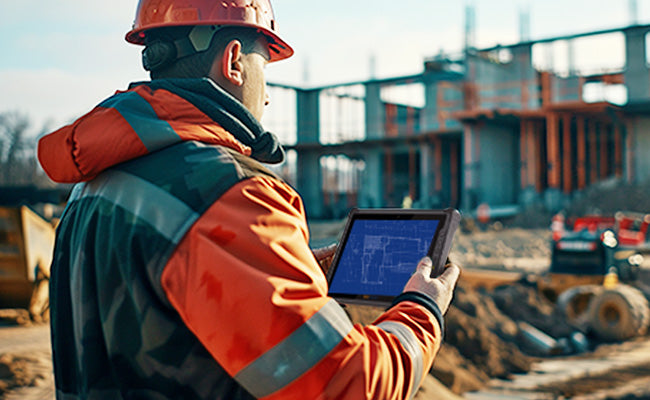
Construction Sites:
Most commonly used software: Procore, Bluebeam, PlanGrid, for viewing BIM models, reviewing drawings, and taking on-site photos for documentation.
Environment: Dust, rain, sunlight, and impact.
In practical deployments: For construction environments, rugged Windows tablets with IP65 protection, glove-touch support, hot-swappable batteries, and high-brightness displays are often better suited for long-term outdoor deployment.
Warehousing & Logistics:
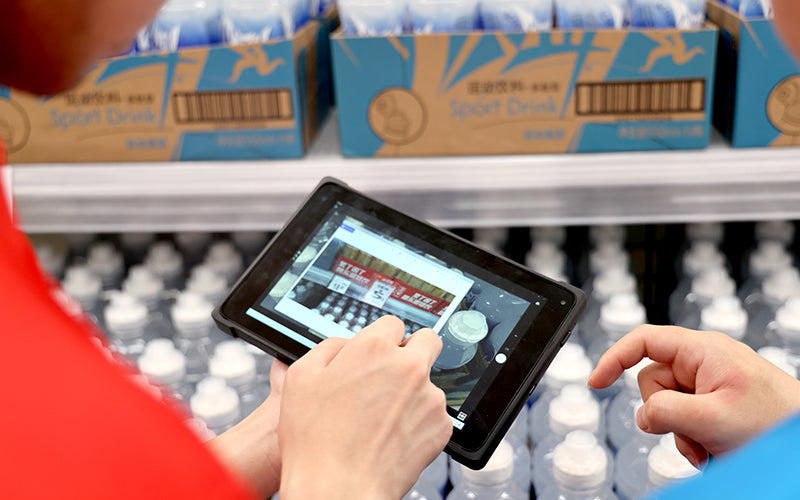
Core functions include barcode scanning, inventory management, and a WMS system. Equipment is typically mounted on a forklift.
In practical deployments: In warehouse environments, rugged Windows or Android tablets with integrated barcode scanners, vehicle-mount support, long battery life, and reliable wireless connectivity are often preferred for long-term operation. Downtime is the most concerning issue in this scenario; downtime can cause congestion throughout the production line. In a warehouse environment, reliability and long-term uptime are critical.
Manufacturing:
Running MES and ERP systems, primarily based on Windows.
In practical deployments: Use ruggedized Windows tablets equipped with Ethernet interfaces and industrial-grade I/O interfaces. Android systems sometimes present software compatibility issues in these environments. Industrial environments typically require Windows operating systems, Ethernet support, and compatibility with industrial software; long-term deployment stability is crucial.
Fleet Management:
GPS navigation, route optimization, vehicle diagnostics. Devices are frequently on the road, exposed to vibration, direct sunlight, and high temperatures.
In practical deployments: A vehicle docking capability is a primary consideration, followed by shock resistance, high brightness, and 4G LTE/5G support. I've seen far too many tablets damaged by drops in this environment. Fleet environments subject devices to continuous vibration, high temperatures, and prolonged operation.
Healthcare:
Electronic medical records, bedside rounds, mobile registries, telemedicine.
Unlike other industries, the healthcare industry prioritizes: lightweight design, long battery life, easy sterilization, and stable connectivity. While high shock resistance is not required, ease of cleaning is crucial.
Agricultural:
Precision agriculture, GPS mapping, livestock tracking, irrigation monitoring, equipment management. Application environments involve mud, water, and sunlight.
In practical deployments: Excellent waterproofing (IP65 or higher), high-brightness screens, and 4G/5G support are essential. Wi-Fi functionality is not required on farms. Agricultural environments expose equipment to dust, mud, rain, and direct sunlight.
Mining and Oil & Gas Industry:
Undoubtedly, these industries require industrial-grade devices built for extreme environments. Screen brightness of at least 1000 nits, high-temperature resistance, comprehensive protection, and industry-standard explosion-proof certification are crucial. In this industry, equipment failure not only results in financial losses but also jeopardizes safety. The mining and energy environments place extremely demanding requirements on mobile equipment, demanding exceptional durability, outdoor performance, long-term reliability, and high-temperature resistance.
Conclusion
As more and more enterprises continue to adopt mobile workflows in 2026, ruggedized tablets are becoming an important tool for improving operational efficiency, reducing downtime, and supporting long-term field deployments. When evaluating ruggedized tablets, enterprises should focus on actual deployment needs, long-term reliability, and compatibility with daily workflows, rather than simply comparing hardware specifications. Brands like ONERugged continue to provide ruggedized tablet solutions designed for warehouse operations, industrial environments, field operations, and enterprise mobile deployments.
![9 Best Rugged Tablet Brands for Warehousing & Field Work [2026 Guide]](http://store.onerugged.com/cdn/shop/articles/IMG20260408152220_a5aba1e9-8a97-4d1e-9b2e-4171a9ca4736.jpg?v=1778995349&width=3072)


Leave a comment
This site is protected by hCaptcha and the hCaptcha Privacy Policy and Terms of Service apply.