


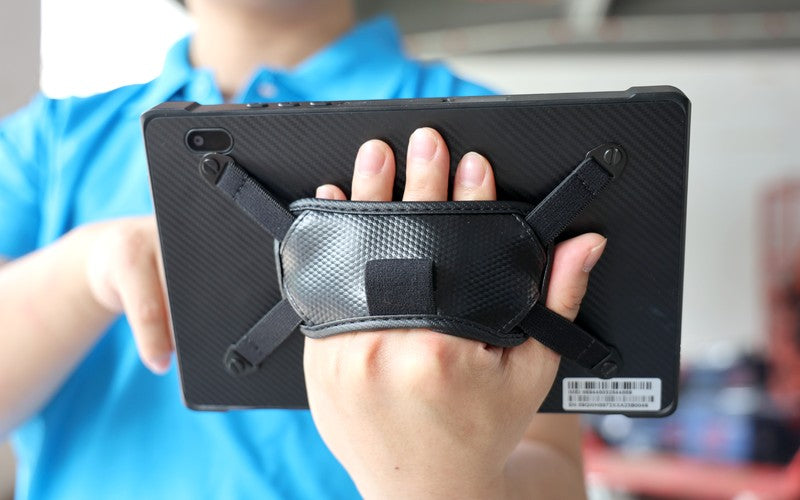
Warehouse Tablet Guide: Choosing Rugged Tablets for Inventory and Barcode Scanning in 2026
Walk through a busy warehouse and one thing is clear: data is generated on the floor, not at a desk.
If workers must return to fixed workstations to update inventory, operations slow down, and systems lag behind reality. A mobile warehouse tablet puts the warehouse management system (WMS) directly into the hands of receiving, picking, and shipping teams.
However, consumer-grade tablets cannot survive the warehouse floor. Here is how to choose the right rugged tablet for your logistics and inventory workflows.

1. Environment Dictates Durability
Before buying, assess where the tablet will actually work. Clean pharmaceutical hubs have different needs than dusty building material yards or freezing cold-storage facilities.
- Key Specs: Look for verified IP ratings (e.g., IP65 or IP67) for dust and water protection, and MIL-STD-810H certification for drop, shock, and temperature tolerance. Avoid marketing buzzwords like "heavy-duty" without seeing official test certificates.
2. Integrated Barcode Scanning vs. Cameras
For occasional scanning, a tablet’s built-in camera might suffice. For high-volume receiving and picking, an integrated, dedicated scan engine (such as Honeywell or Zebra) is non-negotiable.
- Scan Engine Selection: Standard range is perfect for arms-length scanning (receiving/packing). For forklift operators scanning high racks from the cabin, prioritize long-range 1D/2D scan engines designed for varying lighting and damaged labels.

3. Operating System & WMS Compatibility
Your warehouse software should dictate your hardware OS, not the other way around.
- Windows Tablets: Ideal for legacy desktop applications, full ERP systems, or complex equipment configurations.
- Android Tablets: The standard for modern, task-specific mobile WMS apps (picking, packing, and cycle counting).
4. Docking & Power for Forklifts
Mounting a tablet on a forklift introduces massive vibration and power challenges.
- Vibration: Ensure the tablet and vehicle dock are designed to handle constant vibration over floor joints.
- Power: Relying on standard USB-C cables on a moving vehicle will quickly damage the port. Choose industrial vehicle docks with spring-loaded pogo pin charging.
5. Battery Planning for Multi-Shift Operations
A tablet is useless if it sits in a charger halfway through a shift.
- The Solution: Prioritize tablets with hot-swappable batteries. This allows workers to swap in a fresh battery without shutting down the OS or losing their active WMS session during shift handovers.
Comparison: Rugged vs. Consumer Tablets
| Feature | Warehouse Rugged Tablet | Consumer Tablet |
| Barcode Scanning | Integrated industrial scan engine | Camera-based (slow) |
| Drop Protection | Reinforced, drop-tested chassis | Fragile glass/aluminum |
| Mounting | Heavy-duty, powered vehicle docks | Third-party plastic clamps |
| Battery | Replaceable / Hot-swappable | Internal only (requires downtime) |
| Ports | Industrial (RJ45, Serial, USB-A) | Minimal USB-C or Lightning |
Recommended Specifications for 2026
Use this baseline for your procurement checklist:
- OS: Windows or Android (matched to your WMS)
- Durability: IP65+ and MIL-STD-810H certification
- Performance: Minimum 8GB RAM / 128GB Storage
- Scanning: Integrated 1D/2D scan engine
- Power: Hot-swappable battery design
- Connectivity: Enterprise-grade Wi-Fi with fast roaming
Find Your Hardware Match
There is no "one-size-fits-all" warehouse tablet. Forklift drivers, receiving clerks, and supervisors all require different configurations.
ONERugged provides tailored Windows and Android rugged tablets equipped with integrated scanners, vehicle mounts, and hot-swap batteries. Tell us your WMS platform, barcode types, and environment, and we’ll configure the exact hardware your team needs.



Leave a comment
This site is protected by hCaptcha and the hCaptcha Privacy Policy and Terms of Service apply.