

2026 Construction Rugged Tablet Buying Guide: A Manufacturer’s Perspective on Job Site Survival
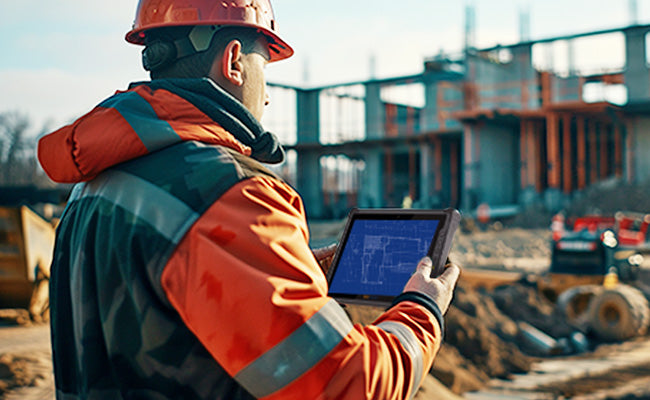
Construction teams increasingly rely on rugged tablets for blueprint viewing, inspections, project management, and field reporting in 2026.

We have been developing and manufacturing ruggedized tablets for 18 years. Over the years, I have personally witnessed the various malfunctions that tablets may encounter on construction sites.
It’s almost always a familiar, costly cycle: a contractor deploys a fleet of off-the-shelf consumer tablets to save on the upfront tech budget. Within one quarter, those savings completely evaporate. Between abrasive cement dust seizing up Type-C ports, tailgate drops shattering screens, and batteries swelling under a baking windshield, the hidden bill for field downtime escalates rapidly.
From what many contractors and field teams report, consumer tablets often struggle with long-term deployment in harsh outdoor environments. Rugged devices are typically selected to reduce downtime and replacement frequency.
For long-term deployment, rugged devices are the only true cost-effective solution to keep field teams connected and projects on schedule.

Key Features Contractors Should Look For
1. Glove & Wet-Touch Tracking (Eliminating Weather Downtime)
Heavy rain, mud, sweat, and safety gloves are non-negotiable realities on a job site. Standard capacitive screens go completely haywire or freeze when hit by water droplets, or when operated by a worker wearing personal protective equipment (PPE).
The Field Standard: Look for displays engineered with advanced capacitive glove modes and wet-touch tracking algorithms. Your site engineers need to be able to pinch-zoom on blueprints or sign off on inspection checklists in a downpour without pulling off their cut-resistant or insulated gloves.
2. IP65 Dust/Rain Protection and Rubber Ring Port Protection
Cement dust is extremely destructive. Once mixed with ambient humidity, it enters open ports, hardens like concrete, and burns out internal circuitry. Therefore, port protection covers with sealed rubber rings effectively protect the ports.
3. MIL-STD-810H Drop and Shock Certification
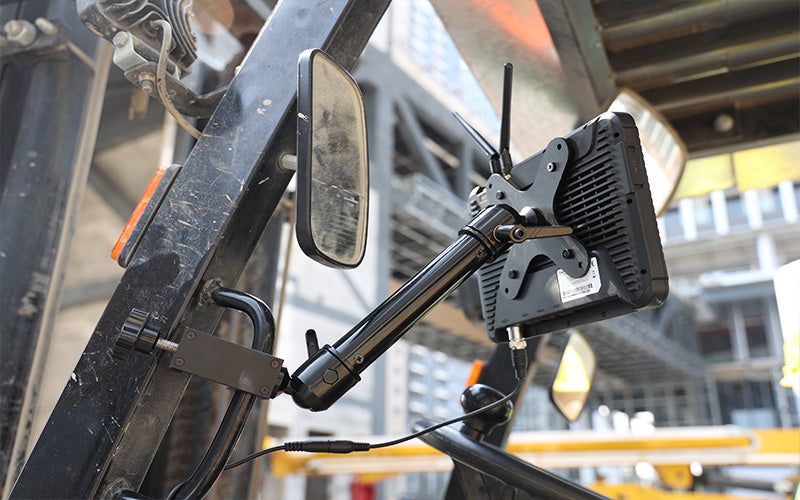
Accidental drops happen every day—from ladders, forklifts, scaffolding, or the cargo bed of a pickup truck onto solid concrete.
-
While traditional ruggedization tests focused on a 4-foot (1.2m) drop, premium rugged tablets are now built to withstand repeated impacts from 5 to 6 feet (1.5m to 1.8m).
-
Beyond the Drop: True MIL-STD-810H certification ensures the equipment survives continuous heavy machinery vibration, salt spray corrosion, and severe thermal shock (preventing the battery from bulging when left on a scorching truck dashboard).

4. Sunlight Visibility Matters More Than Resolution
A common purchasing mistake is prioritizing 4K or ultra-high resolution screens. On-site, if the display reflects sunlight like a mirror, screen resolution is completely meaningless. Consumer tablets max out at a dim 300–500 nits, making them unreadable outdoors.
-
The Visibility Standard: Target a minimum brightness of 700–1000+ nits, combined with anti-glare (AG) glass and optical bonding technology. This configuration guarantees that project managers can clearly read complex 3D BIM models, high-density GIS maps, and progress dashboards under intense midday sun.
5. Hot-Swappable Batteries to Stop Shift Interruptions
Construction shifts frequently span 10 to 12 hours. Because outdoor displays must run at maximum brightness, they drain power rapidly. If a tablet dies, having to shut it down, plug it into a truck charger, reboot, re-login, and reload a massive 500MB blueprint completely breaks field momentum.
-
The Workflow Fix: A hot-swappable dual-battery architecture. Backed by a small internal bridge battery, it gives crews a 5-minute window to slap a fresh cell into the back of the device without shutting down the operating system, dropping network connectivity, or losing cached telemetry data mid-inspection.
Software Compatibility & Ecosystem Integration
Modern construction workflows rely entirely on cloud-connected software ecosystems. Hardware must be matched to the performance demands of these platforms:
-
Procore (Project Management & Field Collaboration): Field teams rely heavily on tablets to manage daily logs, track RFIs (Requests for Information), snap punch-list photos, and log labor hours directly from the dirt.
-
Bluebeam Revu (Drawing Reviews & PDF Markups): Bluebeam is highly resource-intensive, requiring robust graphics rendering and ample screen space to handle massive vector drawings, redline markups, and architectural revisions without lagging.
-
GIS & Surveying Tools (ArcGIS / QField / RTK Workflows): For civil engineering and earthwork, surveying crews leverage rugged tablets paired with dedicated GNSS modules or external RTK rovers to achieve centimeter-level accuracy for grade checking and layout.
OS Selection Guide: Windows vs. Android Rugged Tablets
Choosing the right Operating System depends heavily on the specific role of the field worker:
| Feature | Windows Rugged Tablet | Android Rugged Tablet |
| Best for | Engineers, PMs, BIM Teams | Inspectors, Logistics, Field Ops |
| Procore | Full desktop experience | Optimized mobile workflow |
| Bluebeam | Excellent | Basic only |
| Battery | 6–8 hours (needs hot-swap) | 10–16 hours |
| Our pick | Foremen, PMs | Everyone else |
| Cost | Higher | Longer |
Note:
-
Windows Rugged Tablets are preferred by: Site Engineers, Project Managers, and BIM/CAD Coordinators who need to run desktop-class software and heavy administrative data sets.
-
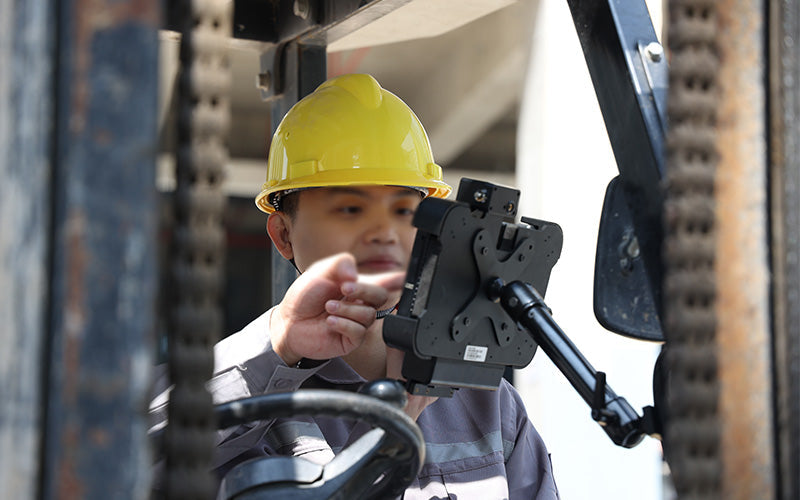
Android Rugged Tablets are ideal for: Field Inspectors, Logistics & Materials Crews, and Equipment Operators who primarily interact with streamlined, single-purpose apps (e.g., filling out checklists, scanning barcodes, taking photos).
Conclusion
Choosing the right rugged tablet ultimately depends on the actual field environment, software workflow, and daily operational demands.
For construction teams working outdoors, factors such as screen brightness, glove touch support, hot-swappable batteries, and long-term durability usually matter far more than raw hardware specifications alone.
As construction workflows continue moving toward digital project management, rugged tablets are becoming a standard tool across modern job sites, inspection teams, utility crews, and field operations.


Leave a comment
This site is protected by hCaptcha and the hCaptcha Privacy Policy and Terms of Service apply.